Fisch codes
Page content updated: (UTC) · Latest source review: 2026-11-01 14:58:01 UTC. Individual code checks may be older; source checks are not in-game redemption tests.
Codes to try
| Code | Status | Last verified | Rewards | Source |
|---|---|---|---|---|
Redeem codeTheVenueEncore | Not verifiedIn-game check pending | Not verified in-gameSource checked: (UTC) | Dutchman's Haunt boat, 250 Treats, 10 Black Licorice, 10 Sour Jelly Candy, 10 Taffy Pieces, 10 Licorice, 10 Candy Corn ClustersLevel: Unknown · Added: 2026-10-31 · Expires: Unknown | Fisch official X update (public mirror)Dexerto, Nov 1Robunavi, Nov 1Source note: The public mirror of the developer X update includes the code. Rewards are attributed to independent code guides; exact expiry and in-game redemption not verified. |
Redeem codeFischFright2026 | Not verifiedIn-game check pending | Not verified in-gameSource checked: (UTC) | 2,026 C$, 226 Treats, The Doomsekkar Bobber, Jack-o-Statue LanternLevel: Unknown · Added: 2026-10-17 · Expires: Unknown | Official Discord: FischFright 3Pro Game GuidesPocket GamerRoblox DenSource note: Official Discord confirms code; reward details come from secondary lists. Expiry and in-game redemption remain unverified.Official X: FischFright 3 |
Redeem codeThanksFor5B | Not verifiedIn-game check pending | Not verified in-gameSource checked: (UTC) | 5,000 C$, 500 Treats, Mega Party Bobber, 5B Title, 50 Instant Catchers, 50 Luminous Larva, random itemLevel: 25+ · Added: 2026-10-17 · Expires: Unknown | Pro Game GuidesPocket GamerRoblox DenSource note: Contemporary secondary sources report code and rewards, but no direct developer message or in-game redemption was verified. Official expiry unknown. |
Redeem codeSCARLET | Not verifiedIn-game check pending | Not verified in-gameSource checked: (UTC) | Scarlet skin for Nate’s BladeLevel: N/A · Added: 2025-12-07 · Expires: 2026-12-15 16:00 UTC | FischipediaSCARLET row - archived Wiki revision |
Redeem codeCARBON | Not verifiedIn-game check pending | Not verified in-gameSource checked: (UTC) | Carbon BobberLevel: N/A · Added: 2025-01-25 · Expires: Never | FischipediaCARBON row - archived Wiki revision |
These codes are reported active by the linked sources. We have not verified them in-game. Source checked dates record when we read the source, not a successful redemption.
Expired codes (135)
Show codes ↓Hide codes ↑
| Code | Status | Last verified | Rewards | Source |
|---|---|---|---|---|
Redeem codeChapelTroubles | ExpiredSource report | Not verified in-gameSource checked: (UTC) | Dussekar and Ghostderri Doomsekkar rod skins, 250 TreatsLevel: Unknown · Added: 2026-10-24 · Expired: Unknown | Fisch official X update (public mirror)Robunavi, Nov 1Bloxodes, Nov 1Source conflict: Robunavi (Nov 1) reports expired, while Bloxodes (Nov 1) reports active. Developer posted the code on Oct 24 with use-today wording; current in-game status not verified. |
Redeem codeSaveNate | ExpiredSource report | Not verified in-gameSource checked: (UTC) | 67 C$, cat-themed title, 10 Instant Catchers, 5 Luminous Larva, random item (secondary report)Level: 25+ · Added: 2026-10-10 · Expired: Unknown | Official Discord: Nate’s QuestGamesRadar+Source note: Official Discord says Use code SaveNate today!!! on Oct 11 JST; it does not give an exact cutoff. GamesRadar lists expired; status not game-tested. |
Redeem codeTemporarySubmarine | ExpiredSource report | Not verified in-gameSource checked: (UTC) | Back Fins, Metal Panels, Side Fins, Submarine Top, WindowsLevel: N/A · Added: 2025-09-01 · Expired: 2026-10-18 16:00 UTC | FischipediaTemporarySubmarine row - archived Wiki revisionOfficial Discord: Patch 2.06.2GamesRadar+Roblox DenSource conflict: Official Oct 19 patch replaces old code with Dr. Glimmerfin quest; earlier Wiki listed Oct 18 expiry, while some secondary lists still claim active. No in-game check. |
Redeem codeHappy2ndYear | ExpiredSource report | Not verified in-gameSource checked: (UTC) | 2,026 C$, Giant Fisch Cake, Party Emoji Title, Cupcakes ×25, random itemLevel: 25+ · Added: 2026-10-03 · Expired: 2026-10-06 18:00 UTC | FischipediaHappy2ndYear row - archived Wiki revisionOfficial announcement |
Redeem codeomoji | ExpiredSource report | Not verified in-gameSource checked: (UTC) | Zombi Kitty, omojipearcatLevel: 25+ · Added: 2026-10-03 · Expired: 2026-10-05 12:00 UTC | Official Discord: omoji giftFischipediaSource note: Official Discord permits use until Oct 5 without a specified timezone; exact UTC expiry is from archived Wiki, not direct developer proof. |
Redeem codespookyomoji | ExpiredSource report | Not verified in-gameSource checked: (UTC) | kittyyy, omojiskelecatLevel: 25+ · Added: 2026-10-03 · Expired: 2026-10-05 12:00 UTC | Official Discord: omoji giftFischipediaSource note: Official Discord permits use until Oct 5 without a specified timezone; exact UTC expiry is from archived Wiki, not direct developer proof. |
Redeem codeVroomVroom | ExpiredSource report | Not verified in-gameSource checked: (UTC) | 1,000 C$, Pancaked Flimsy Rod, Instant Catcher ×10, Luminous Larva ×5, random itemLevel: 25+ · Added: 2026-09-26 · Expired: 2026-09-27 16:00 UTC | FischipediaVroomVroom row - archived Wiki revisionOfficial announcement |
Redeem codeMarianaIsGoingCrazy | ExpiredSource report | Not verified in-gameSource checked: (UTC) | Him, 1,000 C$, Instant Catcher ×10, Luminous Larva ×5, random itemLevel: 25+ · Added: 2026-09-19 · Expired: 2026-09-20 16:00 UTC | FischipediaMarianaIsGoingCrazy row - archived Wiki revision |
Redeem codeLittleBudlingUpdate | ExpiredSource report | Not verified in-gameSource checked: (UTC) | Walrus, 1,000 C$, Coral Pearl ×5, Cotton Candy Pieces ×5, Icy Fisch'n Dots ×5, Tropical Fruit Mix ×5, random itemLevel: 25+ · Added: 2026-09-12 · Expired: 2026-09-13 16:00 UTC | FischipediaLittleBudlingUpdate row - archived Wiki revision |
Redeem codePeaceLoveUnityRespect | ExpiredSource report | Not verified in-gameSource checked: (UTC) | RetraxxLevel: 25+ · Added: 2026-09-12 · Expired: 2026-09-12 21:00 UTC | FischipediaPeaceLoveUnityRespect row - archived Wiki revision |
Redeem codeSkycrestIsInTheSky | ExpiredSource report | Not verified in-gameSource checked: (UTC) | Banana Boat, 1,000 C$, Coral Pearl ×5, Cotton Candy Pieces ×5, Icy Fisch'n Dots ×5, Tropical Fruit Mix ×5, random itemLevel: 25+ · Added: 2026-09-05 · Expired: 2026-09-06 16:00 UTC | FischipediaSkycrestIsInTheSky row - archived Wiki revision |
Redeem codeSkycrestNextWeek | ExpiredSource report | Not verified in-gameSource checked: (UTC) | Little Sei Whale, 1,000 C$, Coral Pearl ×5, Cotton Candy Pieces ×5, Icy Fisch'n Dots ×5, Tropical Fruit Mix ×5, random itemLevel: 25+ · Added: 2026-08-29 · Expired: 2026-08-30 16:00 UTC | FischipediaSkycrestNextWeek row - archived Wiki revision |
Redeem codeShootingStars | ExpiredSource report | Not verified in-gameSource checked: (UTC) | XL Meteoric Rod, 1,000 C$, Coral Pearl ×5, Cotton Candy Pieces ×5, Icy Fisch'n Dots ×5, Tropical Fruit Mix ×5, random itemLevel: 25+ · Added: 2026-08-22 · Expired: 2026-08-23 16:00 UTC | FischipediaShootingStars row - archived Wiki revision |
Redeem codeCollectMyPufferfish | ExpiredSource report | Not verified in-gameSource checked: (UTC) | Giant Jetski, 1,000 C$, Coral Pearl ×5, Cotton Candy Pieces ×5, Icy Fisch'n Dots ×5, Tropical Fruit Mix ×5, random itemLevel: 25+ · Added: 2026-08-15 · Expired: 2026-08-16 16:00 UTC | FischipediaCollectMyPufferfish row - archived Wiki revision |
Redeem codeTheDeepIsVeryDeep | ExpiredSource report | Not verified in-gameSource checked: (UTC) | Cleaned Scrap-Bot, 1,000 C$, Coral Pearl ×5, Cotton Candy Pieces ×5, Icy Fisch'n Dots ×5, Tropical Fruit Mix ×5, random itemLevel: 25+ · Added: 2026-08-08 · Expired: 2026-08-09 16:00 UTC | FischipediaTheDeepIsVeryDeep row - archived Wiki revision |
Redeem codeHarpoonGunsAreAwesome | ExpiredSource report | Not verified in-gameSource checked: (UTC) | Chaotic Crasher, 1,000 C$, Coral Pearl ×5, Cotton Candy Pieces ×5, Icy Fisch'n Dots ×5, Tropical Fruit Mix ×5, random itemLevel: 25+ · Added: 2026-08-01 · Expired: 2026-08-02 16:00 UTC | FischipediaHarpoonGunsAreAwesome row - archived Wiki revision |
Redeem codeSorryForShopShenanigans | ExpiredSource report | Not verified in-gameSource checked: (UTC) | 150 S$, Rainbow TotemLevel: 50+ · Added: 2026-07-26 · Expired: 2026-07-28 17:30 UTC | FischipediaSorryForShopShenanigans row - archived Wiki revision |
Redeem codeHarpoonGunsNextWeek | ExpiredSource report | Not verified in-gameSource checked: (UTC) | Grandpa Horseshoe Crab, 1,000 C$, Coral Pearl ×5, Cotton Candy Pieces ×5, Icy Fisch'n Dots ×5, Tropical Fruit Mix ×5, random itemLevel: 25+ · Added: 2026-07-25 · Expired: 2026-07-26 16:00 UTC | FischipediaHarpoonGunsNextWeek row - archived Wiki revision |
Redeem codeSorry4Delay | ExpiredSource report | Not verified in-gameSource checked: (UTC) | 1,000 C$, Shiny Terroscuttler, Fishing Emoji Title, random itemLevel: 25+ · Added: 2026-07-25 · Expired: 2026-07-25 17:30 UTC | FischipediaSorry4Delay row - archived Wiki revision |
Redeem codeRoamingFishAndWaterPark | ExpiredSource report | Not verified in-gameSource checked: (UTC) | Shiny Dumbo Octopus Floatie, 1,000 C$, Coral Pearl ×5, Cotton Candy Pieces ×5, Icy Fisch'n Dots ×5, Tropical Fruit Mix ×5, random itemLevel: 25+ · Added: 2026-07-18 · Expired: 2026-07-19 16:00 UTC | FischipediaRoamingFishAndWaterPark row - archived Wiki revision |
Redeem codeOllieAndFinWhale | ExpiredSource report | Not verified in-gameSource checked: (UTC) | Smudged Titan, Otter Emoji Title, 1,000 C$, Coral Pearl ×5, Cotton Candy Pieces ×5, Icy Fisch'n Dots ×5, Tropical Fruit Mix ×5, random itemLevel: 25+ · Added: 2026-07-11 · Expired: 2026-07-12 16:00 UTC | FischipediaOllieAndFinWhale row - archived Wiki revision |
Redeem codeDrylandsIsFire | ExpiredSource report | Not verified in-gameSource checked: (UTC) | Cactus, Desert Emoji Title, 1,000 C$, Coral Pearl ×5, Cotton Candy Pieces ×5, Icy Fisch'n Dots ×5, Tropical Fruit Mix ×5, random itemLevel: 25+ · Added: 2026-07-04 · Expired: 2026-07-05 16:00 UTC | FischipediaDrylandsIsFire row - archived Wiki revision |
Redeem codeHAPPY4TH | ExpiredSource report | Not verified in-gameSource checked: (UTC) | 74 C$, MERICAAA, MERICAAA RAAHHH Title, random itemLevel: 25+ · Added: 2026-07-04 · Expired: 2026-07-05 16:00 UTC | FischipediaHAPPY4TH row - archived Wiki revision |
Redeem codeKingCrabstle | ExpiredSource report | Not verified in-gameSource checked: (UTC) | 75 Sunshells, Ducky Floatie, Palm Tree Emoji Title, Cotton Candy Pieces ×5, Icy Fisch'n Dots ×5, Tropical Fruit Mix ×5, random itemLevel: 25+ · Added: 2026-06-27 · Expired: 2026-06-28 16:00 UTC | FischipediaKingCrabstle row - archived Wiki revision |
Redeem code049andnickneedatan | ExpiredSource report | Not verified in-gameSource checked: (UTC) | 50 Sunshells, Reef Slasher, Coral Pearl ×5, random itemLevel: 25+ · Added: 2026-06-20 · Expired: 2026-06-27 16:00 UTC | Fischipedia049andnickneedatan row - archived Wiki revision |
Redeem codeFischfest2026 | ExpiredSource report | Not verified in-gameSource checked: (UTC) | 50 Sunshells, Beach Umbrella, Beach Emoji Title, Cotton Candy Pieces ×5, Icy Fisch'n Dots ×5, Tropical Fruit Mix ×5, random itemLevel: 25+ · Added: 2026-06-20 · Expired: 2026-06-27 16:00 UTC | FischipediaFischfest2026 row - archived Wiki revision |
Redeem codeFischIsTheBest | ExpiredSource report | Not verified in-gameSource checked: (UTC) | 500 Sunshells, Nateboard, WoozyNate, I ♡ Fisch Title, Tropical Sun TotemLevel: 25+ · Added: 2026-06-20 · Expired: 2026-06-23 16:00 UTC | FischipediaFischIsTheBest row - archived Wiki revision |
Redeem codeNickNate049492SnoStage105 | ExpiredSource report | Not verified in-gameSource checked: (UTC) | 100 Sunshells, Beach Emoji Title, Coral Pearl ×25, Aurora TotemLevel: 25+ · Added: 2026-06-20 · Expired: 2026-06-21 16:00 UTC | FischipediaNickNate049492SnoStage105 row - archived Wiki revision |
Redeem codeTheDeepAwaitsForYou | ExpiredSource report | Not verified in-gameSource checked: (UTC) | 10,000 C$, 100 S$, Chromatic NoiseformLevel: 1000+ · Added: 2026-06-10 · Expired: 2026-06-20 16:00 UTC | FischipediaTheDeepAwaitsForYou row - archived Wiki revision |
Redeem codeAquariumCustomization | ExpiredSource report | Not verified in-gameSource checked: (UTC) | Longurt, 1,000 C$, Starlight Worm ×5, random itemLevel: 25+ · Added: 2026-06-13 · Expired: 2026-06-14 16:00 UTC | FischipediaAquariumCustomization row - archived Wiki revision |
Redeem codeCREWS | ExpiredSource report | Not verified in-gameSource checked: (UTC) | Silver Crew Rod, 1,000 C$, Starlight Worm ×5, random itemLevel: 25+ · Added: 2026-06-06 · Expired: 2026-06-07 16:00 UTC | FischipediaCREWS row - archived Wiki revision |
Redeem codeLivyatanAndCompanions | ExpiredSource report | Not verified in-gameSource checked: (UTC) | Shiny Mosswaddler, 1,000 C$, Starlight Worm ×5, random itemLevel: 25+ · Added: 2026-05-30T16:00Z · Expired: 2026-05-31 16:00 UTC | FischipediaLivyatanAndCompanions row - archived Wiki revision |
Redeem codeShadySorry | ExpiredSource report | Not verified in-gameSource checked: (UTC) | 100 S$, SHADYREAPERLevel: 50+ · Added: 2026-05-25T02:11Z · Expired: 2026-05-25 16:00 UTC | FischipediaShadySorry row - archived Wiki revision |
Redeem codeShady | ExpiredSource report | Not verified in-gameSource checked: (UTC) | 1,000 C$, 20 S$, Neongrinder, Weird chainsaw rod, Golden Tentacle ×5, random itemLevel: 25+ · Added: 2026-05-23T16:00Z · Expired: 2026-05-24 16:00 UTC | FischipediaShady row - archived Wiki revision |
Redeem codeFOLK | ExpiredSource report | Not verified in-gameSource checked: (UTC) | FolkLevel: 67+ · Added: 2026-05-16T16:00Z · Expired: 2026-05-23 00:00 UTC | FischipediaFOLK row - archived Wiki revision |
Redeem codeHumpbackAndMegamouth | ExpiredSource report | Not verified in-gameSource checked: (UTC) | Bigger Part, 1,000 C$, Golden Tentacle ×5, random itemLevel: 25+ · Added: 2026-05-16T16:00Z · Expired: 2026-05-17 16:00 UTC | FischipediaHumpbackAndMegamouth row - archived Wiki revision |
Redeem codeSovereign | ExpiredSource report | Not verified in-gameSource checked: (UTC) | Shiny Flopping Salmon, 1,000 C$, Golden Tentacle ×5, random itemLevel: 25+ · Added: 2026-05-09T16:00Z · Expired: 2026-05-10 16:00 UTC | FischipediaSovereign row - archived Wiki revision |
Redeem codeVenueTakeover | ExpiredSource report | Not verified in-gameSource checked: (UTC) | Giant Driftwood, 1,000 C$, Golden Tentacle ×5, random itemLevel: 25+ · Added: 2026-05-02T16:00Z · Expired: 2026-05-03 16:00 UTC | FischipediaVenueTakeover row - archived Wiki revision |
Redeem codeSLOPSKINSFORMIGUROD | ExpiredSource report | Not verified in-gameSource checked: (UTC) | Chroma MiguRod, BaguetteLevel: 401+ · Added: 2026-04-27T07:30Z · Expired: 2026-05-01 00:00 UTC | FischipediaSLOPSKINSFORMIGUROD row - archived Wiki revision |
Redeem codeYESIMBEINGFRTHISISTHEMAKHCODE | ExpiredSource report | Not verified in-gameSource checked: (UTC) | Magical LeekLevel: 401+ · Added: 2026-04-18T16:00Z · Expired: 2026-05-01 00:00 UTC | FischipediaYESIMBEINGFRTHISISTHEMAKHCODE row - archived Wiki revision |
Redeem codeCompanions | ExpiredSource report | Not verified in-gameSource checked: (UTC) | Hades' Rose-Scythe, Krill ×10, 1,000 C$, Golden Tentacle ×5, random itemLevel: 25+ · Added: 2026-04-25T16:00Z · Expired: 2026-04-26 16:00 UTC | FischipediaCompanions row - archived Wiki revision |
Redeem codenickandsnothegoat | ExpiredSource report | Not verified in-gameSource checked: (UTC) | 43,110 C$, Bassanjo, Fish Head ×20, Minnow ×20, Shark Head ×20Level: 25+ · Added: 2026-04-25T16:00Z · Expired: 2026-04-26 04:00 UTC | Fischipedianickandsnothegoat row - archived Wiki revision |
Redeem codeMermaidCove | ExpiredSource report | Not verified in-gameSource checked: (UTC) | Violet Dusk, Fisch Coin, 1,000 C$, Golden Tentacle ×5, random itemLevel: 25+ · Added: 2026-04-18T16:00Z · Expired: 2026-04-19 16:00 UTC | FischipediaMermaidCove row - archived Wiki revision |
Redeem codeWrathOfOlympus | ExpiredSource report | Not verified in-gameSource checked: (UTC) | 1,000 C$, Log, Zeus's Frostbolt, Marshmallow Chicks ×5, random itemLevel: 25+ · Added: 2026-04-11T16:00Z · Expired: 2026-04-12 16:00 UTC | FischipediaWrathOfOlympus row - archived Wiki revision |
Redeem codeEaster2026 | ExpiredSource report | Not verified in-gameSource checked: (UTC) | 1,000 C$, Baby Chick, Marshmallow Chicks ×5, random itemLevel: 25+ · Added: 2026-04-04T16:00Z · Expired: 2026-04-18 16:00 UTC | FischipediaEaster2026 row - archived Wiki revision |
Redeem codethisisaveryevilcode | ExpiredSource report | Not verified in-gameSource checked: (UTC) | EvilwireLevel: 250+ · Added: 2026-04-04T16:00Z · Expired: 2026-04-10 16:00 UTC | Fischipediathisisaveryevilcode row - archived Wiki revision |
Redeem codewowyoufigureditout | ExpiredSource report | Not verified in-gameSource checked: (UTC) | Dragon SlayerLevel: 250+ · Added: 2026-03-28T16:00Z · Expired: 2026-03-30 16:00 UTC | Fischipediawowyoufigureditout row - archived Wiki revision |
Redeem codeEverturnForest | ExpiredSource report | Not verified in-gameSource checked: (UTC) | Driftwood, 1,000 C$, Starlight Worm ×5, random itemLevel: 25+ · Added: 2026-03-28T16:00Z · Expired: 2026-03-29 16:00 UTC | FischipediaEverturnForest row - archived Wiki revision |
Redeem codeNewIslandSoon | ExpiredSource report | Not verified in-gameSource checked: (UTC) | Monochrome Pitchfork, 1,000 C$, Starlight Worm ×5, random itemLevel: 15+ · Added: 2026-03-21T16:00Z · Expired: 2026-03-22 16:00 UTC | FischipediaNewIslandSoon row - archived Wiki revision |
Redeem codeStPatricks | ExpiredSource report | Not verified in-gameSource checked: (UTC) | 314 C$, Clover Rod, Demon-Slayer, Second Years Scythe, Piercer, Clover Cluster ×5, Rainbow TotemLevel: 25+ · Added: 2026-03-14T16:00Z · Expired: 2026-03-15 16:00 UTC | FischipediaStPatricks row - archived Wiki revision |
Redeem codeJOUNCE | ExpiredSource report | Not verified in-gameSource checked: (UTC) | Chroma Blade Of GlorpLevel: 88+ · Added: 2026-02-28 · Expired: 2026-03-08 17:08 UTC | FischipediaJOUNCE row - archived Wiki revision |
Redeem codeBIGGLE | ExpiredSource report | Not verified in-gameSource checked: (UTC) | Garbage ×1Level: 88+ · Added: 2026-02-28 · Expired: 2026-03-08 17:08 UTC | FischipediaBIGGLE row - archived Wiki revision |
Redeem codeSeventhOfMarch | ExpiredSource report | Not verified in-gameSource checked: (UTC) | Frigid BeautyLevel: 37+ · Added: 2026-03-07 · Expired: 2026-03-08 23:59 UTC | FischipediaSeventhOfMarch row - archived Wiki revision |
Redeem codeJungleExpansion | ExpiredSource report | Not verified in-gameSource checked: (UTC) | 500 C$, Mini Rowboat, Thorn Cluster ×5, random itemLevel: 25+ · Added: 2026-03-07 · Expired: 2026-03-08 17:00 UTC | FischipediaJungleExpansion row - archived Wiki revision |
Redeem codeCHUD | ExpiredSource report | Not verified in-gameSource checked: (UTC) | 10,000 C$, LucilleLevel: N/A · Added: 2026-03-06 · Expired: 2026-03-07 17:00 UTC | FischipediaCHUD row - archived Wiki revision |
Redeem codeJungleExpansionSOON | ExpiredSource report | Not verified in-gameSource checked: (UTC) | 1,111 C$, Thorn Cluster ×5, Forestwing, random itemLevel: 25+ · Added: 2026-02-28 · Expired: 2026-03-01 17:00 UTC | FischipediaJungleExpansionSOON row - archived Wiki revision |
Redeem codeNickNatestage105 | ExpiredSource report | Not verified in-gameSource checked: (UTC) | 67 C$, Long Pike, Stone Hammer, Nates Blade, Dave RodLevel: ? · Added: 2026-03-06 · Expired: 2026-03-06 | FischipediaNickNatestage105 row - archived Wiki revision |
Redeem codeValentinesOver | ExpiredSource report | Not verified in-gameSource checked: (UTC) | CyanbreakerLevel: 25+ · Added: 2026-02-21 · Expired: 2026-02-23 17:00 UTC | FischipediaValentinesOver row - archived Wiki revision |
Redeem codeValentides | ExpiredSource report | Not verified in-gameSource checked: (UTC) | 100 Chocolates, AmorifalxLevel: 25+ · Added: 2026-02-07 · Expired: 2026-02-21 17:00 UTC | FischipediaValentides row - archived Wiki revision |
Redeem codeLunarNewYear | ExpiredSource report | Not verified in-gameSource checked: (UTC) | Lunar New Years RocketLevel: 25+ · Added: 2026-02-16 · Expired: 2026-02-18 | FischipediaLunarNewYear row - archived Wiki revision |
Redeem codeValentinesDay | ExpiredSource report | Not verified in-gameSource checked: (UTC) | 750 Chocolates, Bow of the SkiesLevel: 25+ · Added: 2026-02-14 · Expired: 2026-02-15 17:00 UTC | FischipediaValentinesDay row - archived Wiki revision |
Redeem codeValentinesSoon | ExpiredSource report | Not verified in-gameSource checked: (UTC) | 500 C$, Requiem Aeternum, Ruina Thalassae, Lamentum Maris, Dripstone Collapse TotemLevel: ? · Added: 2026-01-31 · Expired: 2026-02-01 | FischipediaValentinesSoon row - archived Wiki revision |
Redeem codeBrinestorm | ExpiredSource report | Not verified in-gameSource checked: (UTC) | 500 C$, Flamemourner, Dripstone Collapse Totem, Snowflake HaloLevel: 25+ · Added: 2026-01-24 · Expired: 2026-01-25 23:00 UTC | FischipediaBrinestorm row - archived Wiki revision |
Redeem codeTidefall | ExpiredSource report | Not verified in-gameSource checked: (UTC) | 6,767 C$, Tiny Fabulous Rod, random itemLevel: 25+ · Added: 2026-01-17 · Expired: 2026-01-18 23:00 UTC | FischipediaTidefall row - archived Wiki revision |
Redeem codeTradePlazaRevamp | ExpiredSource report | Not verified in-gameSource checked: (UTC) | Mini Pirate Ship, random itemLevel: 25+ · Added: 2026-01-10 · Expired: 2026-01-10 23:00 UTC | FischipediaTradePlazaRevamp row - archived Wiki revision |
Redeem codeTradeRevampSoon | ExpiredSource report | Not verified in-gameSource checked: (UTC) | Lilaclash, 500 C$, Colossal Dragon Hunt Totem ×1Level: 25+ · Added: 2026-01-03 · Expired: 2026-01-04 17:00 UTC | FischipediaTradeRevampSoon row - archived Wiki revision |
Redeem codeNewYears | ExpiredSource report | Not verified in-gameSource checked: (UTC) | 2,026 C$Level: 5+ · Added: 2025-12-31 · Expired: 2026-01-02 12:00 UTC | FischipediaNewYears row - archived Wiki revision |
Redeem codeUnguessableCode | ExpiredSource report | Not verified in-gameSource checked: (UTC) | Memories Of Gold, 2,026 C$Level: 50+ · Added: 2025-12-31 · Expired: 2025-12-31 21:00 UTC | FischipediaUnguessableCode row - archived Wiki revision |
Redeem codeBloopWhistle2 | ExpiredSource report | Not verified in-gameSource checked: (UTC) | Bloop Whistle ×1Level: 500+ · Added: 2025-12-27 · Expired: 2025-12-28 12:00 UTC | FischipediaBloopWhistle2 row - archived Wiki revision |
Redeem codeAstraeus | ExpiredSource report | Not verified in-gameSource checked: (UTC) | Fruitcake Flakes ×10, Cookie Crumble ×10, Frostnova Bait ×5, Shadow PoleLevel: 5+ · Added: 2025-12-27 · Expired: 2025-12-29 16:00 UTC | FischipediaAstraeus row - archived Wiki revision |
Redeem codeBorealPines | ExpiredSource report | Not verified in-gameSource checked: (UTC) | Fruitcake Flakes ×25, Cookie Crumble ×25, Frostnova Bait ×15, MinimalstromLevel: ? · Added: 2025-12-20 · Expired: 2025-12-25 | FischipediaBorealPines row - archived Wiki revision |
Redeem codeMerryFischmas2 | ExpiredSource report | Not verified in-gameSource checked: (UTC) | Fruitcake Flakes ×25, Cookie Crumble ×25, Frostnova Bait ×15Level: ? · Added: 2025-12-13 · Expired: 2026-01-10 | FischipediaMerryFischmas2 row - archived Wiki revision |
Redeem codeFORAREASON | ExpiredSource report | Not verified in-gameSource checked: (UTC) | Red Blade Of GlorpLevel: 15+ · Added: 2025-12-13 · Expired: 2025-12-25 17:00 UTC | FischipediaFORAREASON row - archived Wiki revision |
Redeem codeECLIPSEBLADE | ExpiredSource report | Not verified in-gameSource checked: (UTC) | Blade of the EclipseLevel: None · Added: 2025-12-13 · Expired: 2025-12-18 16:00 UTC | FischipediaECLIPSEBLADE row - archived Wiki revision |
Redeem codeALIENS | ExpiredSource report | Not verified in-gameSource checked: (UTC) | Snowy Christmas, Bloop WhistleLevel: 5+ · Added: 2025-12-06 · Expired: 2025-12-07 17:00 UTC | FischipediaALIENS row - archived Wiki revision |
Redeem codeISITREALLYYOU? | ExpiredSource report | Not verified in-gameSource checked: (UTC) | BloodwingLevel: N/A · Added: 2025-12-03 · Expired: 2025-12-20 16:00 UTC | FischipediaISITREALLYYOU? row - archived Wiki revision |
Redeem codeDEVSLOPSKINS | ExpiredSource report | Not verified in-gameSource checked: (UTC) | Domodrum, Meowing Melody, Illumina, Tideglass Rod, Last DanceLevel: N/A · Added: 2025-12-01 · Expired: 2025-12-14 16:00 UTC | FischipediaDEVSLOPSKINS row - archived Wiki revision |
Redeem codeFischmasSoon | ExpiredSource report | Not verified in-gameSource checked: (UTC) | Lime Silly Time, Jolly Bountiful Bait Crate ×10Level: N/A · Added: 2025-11-29 · Expired: 2025-11-30 16:00 UTC | FischipediaFischmasSoon row - archived Wiki revision |
Redeem codeFischgiving | ExpiredSource report | Not verified in-gameSource checked: (UTC) | Roasted Turkey, Unsellable Bountiful Bait Crate ×10Level: N/A · Added: 2025-11-26 · Expired: 2025-11-28 16:00 UTC | FischipediaFischgiving row - archived Wiki revision |
Redeem codeThanksgivingSoon | ExpiredSource report | Not verified in-gameSource checked: (UTC) | EidolightLevel: N/A · Added: 2025-11-22 · Expired: 2025-11-23 16:00 UTC | FischipediaThanksgivingSoon row - archived Wiki revision |
Redeem codeMerlinMystery | ExpiredSource report | Not verified in-gameSource checked: (UTC) | GarnetbreakerLevel: N/A · Added: 2025-11-15 · Expired: 2025-11-16 16:00 UTC | FischipediaMerlinMystery row - archived Wiki revision |
Redeem codeCultistLair | ExpiredSource report | Not verified in-gameSource checked: (UTC) | Golden StaffLevel: N/A · Added: 2025-11-07 · Expired: 2025-11-10 16:00 UTC | FischipediaCultistLair row - archived Wiki revision |
Redeem codeBigUpdateSoon | ExpiredSource report | Not verified in-gameSource checked: (UTC) | Minty FabLevel: N/A · Added: 2025-11-01 · Expired: 2025-11-03 16:00 UTC | FischipediaBigUpdateSoon row - archived Wiki revision |
Redeem codeFischFrightPart2 | ExpiredSource report | Not verified in-gameSource checked: (UTC) | Acidic DusekkarLevel: N/A · Added: 2025-10-25 · Expired: 2025-11-01 16:00 UTC | FischipediaFischFrightPart2 row - archived Wiki revision |
Redeem codeFISCHFRIGHT2025 | ExpiredSource report | Not verified in-gameSource checked: (UTC) | 2,025 C$, Mimic Spellbook, Pumpkin Candy Basket, 2,025 C$Level: N/A · Added: 2025-10-18 · Expired: 2025-11-01 16:00 UTC | FischipediaFISCHFRIGHT2025 row - archived Wiki revisionSource note: source repeats currency |
Redeem codeFISCHFRIGHTSOON | ExpiredSource report | Not verified in-gameSource checked: (UTC) | Blue OvergrowthLevel: N/A · Added: 2025-10-11 · Expired: 2025-10-12 16:00 UTC | FischipediaFISCHFRIGHTSOON row - archived Wiki revision |
Redeem codeFISCHANNIVERSARY | ExpiredSource report | Not verified in-gameSource checked: (UTC) | CakeLevel: N/A · Added: 2025-10-06 · Expired: 2025-10-06 18:00 UTC | FischipediaFISCHANNIVERSARY row - archived Wiki revision |
Redeem codeLOSTJUNGLE | ExpiredSource report | Not verified in-gameSource checked: (UTC) | Cyan OathLevel: N/A · Added: 2025-10-05 · Expired: 2025-10-06 16:00 UTC | FischipediaLOSTJUNGLE row - archived Wiki revision |
Redeem codeLOSTJUNGLESOON | ExpiredSource report | Not verified in-gameSource checked: (UTC) | Silver OnirifalxLevel: N/A · Added: 2025-09-27 · Expired: 2025-09-28 16:00 UTC | FischipediaLOSTJUNGLESOON row - archived Wiki revision |
Redeem codeCAVERN | ExpiredSource report | Not verified in-gameSource checked: (UTC) | The Bomb BallLevel: N/A · Added: 2025-09-20 · Expired: 2025-09-22 16:00 UTC | FischipediaCAVERN row - archived Wiki revision |
Redeem codeThankYou | ExpiredSource report | Not verified in-gameSource checked: (UTC) | Mini Jetski, random itemLevel: N/A · Added: 2025-09-14 · Expired: 2025-09-15 16:00 UTC | FischipediaThankYou row - archived Wiki revision |
Redeem codeSNOWBURROW | ExpiredSource report | Not verified in-gameSource checked: (UTC) | Tiny Flimsy Rod, Tiny No-Life Rod, Tiny Seraphic RodLevel: N/A · Added: 2025-09-06 · Expired: 2025-09-07 16:00 UTC | FischipediaSNOWBURROW row - archived Wiki revision |
Redeem codeSUPPORTERDESTINY | ExpiredSource report | Not verified in-gameSource checked: (UTC) | Celestial CanvasLevel: N/A · Added: 2025-08-30 · Expired: 2025-08-31 19:00 UTC | FischipediaSUPPORTERDESTINY row - archived Wiki revision |
Redeem codeMETEOR | ExpiredSource report | Not verified in-gameSource checked: (UTC) | Blue Fan!, Different Flavor Popsicle?Level: N/A · Added: 2025-08-23 · Expired: 2025-08-23 19:00 UTC | FischipediaMETEOR row - archived Wiki revision |
Redeem codeFISCHFEST | ExpiredSource report | Not verified in-gameSource checked: (UTC) | Beached Pearl ×15, Umbrella ×15, Summer BeachbladeLevel: N/A · Added: 2025-08-16 · Expired: 2025-08-16 20:00 UTC | FischipediaFISCHFEST row - archived Wiki revision |
Redeem codebrick | ExpiredSource report | Not verified in-gameSource checked: (UTC) | Sanguisfalx, BrickLevel: N/A · Added: 2025-08-16 · Expired: 2025-08-16 19:00 UTC | Fischipediabrick row - archived Wiki revision |
Redeem codeSECONDARYENCHANT | ExpiredSource report | Not verified in-gameSource checked: (UTC) | Scarlet Pirate Ship, Starfall TotemLevel: N/A · Added: 2025-08-09 · Expired: 2025-08-10 00:00 UTC | FischipediaSECONDARYENCHANT row - archived Wiki revision |
Redeem codeOGNOLIFE | ExpiredSource report | Not verified in-gameSource checked: (UTC) | Classic No-Life RodLevel: N/A · Added: 2025-08-09 · Expired: 2025-08-09 12:00 UTC | FischipediaOGNOLIFE row - archived Wiki revision |
Redeem codePERSONALAQUARIUMS | ExpiredSource report | Not verified in-gameSource checked: (UTC) | DriftblubLevel: N/A · Added: 2025-08-02 · Expired: 2025-08-02 16:00 UTC | FischipediaPERSONALAQUARIUMS row - archived Wiki revision |
Redeem codeSORRY | ExpiredSource report | Not verified in-gameSource checked: (UTC) | Stone Cluster Rod, PoisonbinderLevel: N/A · Added: 2025-07-27 · Expired: 2025-07-28 12:00 UTC | FischipediaSORRY row - archived Wiki revision |
Redeem codeROSES | ExpiredSource report | Not verified in-gameSource checked: (UTC) | Rose Title, Wilted Rose Title, LeafLevel: N/A · Added: 2025-07-27 · Expired: 2025-07-28 12:00 UTC | FischipediaROSES row - archived Wiki revision |
Redeem codeEVENTFIXED | ExpiredSource report | Not verified in-gameSource checked: (UTC) | Demon-Slayer, Atlantean QuackerLevel: N/A · Added: 2025-07-27 · Expired: 2025-07-28 12:00 UTC | FischipediaEVENTFIXED row - archived Wiki revision |
Redeem codeDAILYSHOP | ExpiredSource report | Not verified in-gameSource checked: (UTC) | Shopkeeper Title, Evil Quacker, Shiny Totem ×2, Sparkling Totem ×2, Mutation Totem ×2, Meteor Totem ×3, Severed Voyager, Azure Phoenix, Trenchborn, Aquatic CurseLevel: N/A · Added: 2025-07-19 · Expired: 2025-07-19 20:00 UTC | FischipediaDAILYSHOP row - archived Wiki revision |
Redeem codeDARKHEART | ExpiredSource report | Not verified in-gameSource checked: (UTC) | DarkheartLevel: N/A · Added: 2025-07-19 · Expired: 2025-07-19 14:00 UTC | FischipediaDARKHEART row - archived Wiki revision |
Redeem codeFRIENDXP | ExpiredSource report | Not verified in-gameSource checked: (UTC) | Devil Emoji Title, Blue Wiggly Worm, Green Wiggly Worm, Purple Wiggly Worm, Lunar Thread, Crimson Jetski, Megalodon Egg ×5, Kraken Egg ×5, Orca Egg ×5, Whale Egg ×5, Shiny Totem ×2, Sparkling Totem ×2, Meteor Totem ×3, Aurora Totem, Purple Carrot, The Longest One, Fang of the Moon, LunarhookLevel: N/A · Added: 2025-07-12 · Expired: 2025-07-12 | FischipediaFRIENDXP row - archived Wiki revision |
Redeem code4THOFJULY | ExpiredSource report | Not verified in-gameSource checked: (UTC) | Patriot Rod, Eagle Emoji Title, Shiny Totem ×2, Sparkling Totem ×2Level: N/A · Added: 2025-07-05 · Expired: 2025-07-06 12:00 UTC | Fischipedia4THOFJULY row - archived Wiki revision |
Redeem codeBROTHER | ExpiredSource report | Not verified in-gameSource checked: (UTC) | Brother's RodLevel: N/A · Added: 2025-07-06 · Expired: 2025-07-19 12:00 UTC | FischipediaBROTHER row - archived Wiki revision |
Redeem codeChangesComing | ExpiredSource report | Not verified in-gameSource checked: (UTC) | 5,000 C$, Mortisfalx, Golden Tentacle ×50, Glitched Potion ×2Level: N/A · Added: 2025-06-28 · Expired: 2025-06-28 14:00 UTC | FischipediaChangesComing row - archived Wiki revision |
Redeem codelegomy | ExpiredSource report | Not verified in-gameSource checked: (UTC) | Gullible TitleLevel: N/A · Added: 2025-04-01 · Expired: 2025-05-31 | Fischipedialegomy row - archived Wiki revision |
Redeem codeSORRYREWARD | ExpiredSource report | Not verified in-gameSource checked: (UTC) | Golden Tentacle ×5, 1,500 C$Level: N/A · Added: 2025-03-14 · Expired: 2025-03-21 | FischipediaSORRYREWARD row - archived Wiki revision |
Redeem codeTHEKRAKEN | ExpiredSource report | Not verified in-gameSource checked: (UTC) | Sunken Ship, 2,500 C$Level: N/A · Added: 2025-02-01 · Expired: 2025-02-08 | FischipediaTHEKRAKEN row - archived Wiki revision |
Redeem codeSORRYGUYS | ExpiredSource report | Not verified in-gameSource checked: (UTC) | Kraken Tentacle ×2, 1,000 C$Level: N/A · Added: 2025-01-18 · Expired: 2025-01-25 | FischipediaSORRYGUYS row - archived Wiki revision |
Redeem codeATLANTEANSTORM | ExpiredSource report | Not verified in-gameSource checked: (UTC) | Hangman's Hook ×2, 1,000 C$Level: N/A · Added: 2025-01-18 · Expired: 2025-01-18 | FischipediaATLANTEANSTORM row - archived Wiki revision |
Redeem codeGOODBYEFISCHMAS | ExpiredSource report | Not verified in-gameSource checked: (UTC) | Unsellable Coral Geode ×10, Aurora Bait ×1, 3,000 C$Level: N/A · Added: 2025-01-02 · Expired: 2025-01-04 | FischipediaGOODBYEFISCHMAS row - archived Wiki revision |
Redeem codeNewYear | ExpiredSource report | Not verified in-gameSource checked: (UTC) | Holly Berry ×2, Peppermint Worm ×2, 1,000 C$Level: N/A · Added: 2024-12-28 · Expired: 2025-01-02 | FischipediaNewYear row - archived Wiki revision |
Redeem code1BVisits | ExpiredSource report | Not verified in-gameSource checked: (UTC) | Party Popper, 1B Title, Aurora Bait ×1, 1,111 C$, Firework ×10Level: N/A · Added: 2024-12-25 · Expired: 2025-01-04 | Fischipedia1BVisits row - archived Wiki revision |
Redeem codeFISCHMASDAY | ExpiredSource report | Not verified in-gameSource checked: (UTC) | Holly Berry ×2, Peppermint Worm ×2, 1,000 C$Level: N/A · Added: 2024-12-25 · Expired: 2024-12-26 | FischipediaFISCHMASDAY row - archived Wiki revision |
Redeem codeNorthernExpedition | ExpiredSource report | Not verified in-gameSource checked: (UTC) | Holly Berry ×2, Peppermint Worm ×3, 1,000 C$Level: N/A · Added: 2024-12-21 · Expired: 2024-12-25 | FischipediaNorthernExpedition row - archived Wiki revision |
Redeem codeThankYouFollowers3 | ExpiredSource report | Not verified in-gameSource checked: (UTC) | Event Horizon RodLevel: N/A · Added: 2024-12-17 · Expired: 2024-12-18 | FischipediaThankYouFollowers3 row - archived Wiki revision |
Redeem codeMERRYFISCHMAS | ExpiredSource report | Not verified in-gameSource checked: (UTC) | Holly Berry ×1, Peppermint Worm ×1, 500 C$Level: N/A · Added: 2024-12-14 · Expired: 2024-12-25 | FischipediaMERRYFISCHMAS row - archived Wiki revision |
Redeem codeThankYouFollowers2 | ExpiredSource report | Not verified in-gameSource checked: (UTC) | Holly Berry ×5, Peppermint Worm ×5, Aurora Bait ×2, 5, Astral RodLevel: N/A · Added: 2024-12-14 · Expired: 2024-12-15 | FischipediaThankYouFollowers2 row - archived Wiki revisionSource note: unit missing in source |
Redeem codeAdvent | ExpiredSource report | Not verified in-gameSource checked: (UTC) | Peppermint Worm ×5, Holly Berry ×5, Aurora Bait ×5, Weird Algae ×2, Truffle Worm ×2, 1,500 C$Level: N/A · Added: 2024-12-07 · Expired: 2024-12-14 | FischipediaAdvent row - archived Wiki revision |
Redeem codeRFG | ExpiredSource report | Not verified in-gameSource checked: (UTC) | Instant Catcher ×3, 2,500 C$Level: N/A · Added: 2024-12-07 · Expired: 2025-04-05 | FischipediaRFG row - archived Wiki revision |
Redeem codeHeadStart | ExpiredSource report | Not verified in-gameSource checked: (UTC) | Instant Catcher ×5, 2,500 C$Level: N/A · Added: 2024-11-30 · Expired: 2024-12-07 | FischipediaHeadStart row - archived Wiki revision |
Redeem codeAncientIsle | ExpiredSource report | Not verified in-gameSource checked: (UTC) | Weird Algae ×2, Truffle Worm ×2, 1,500 C$Level: N/A · Added: 2024-11-30 · Expired: 2024-12-07 | FischipediaAncientIsle row - archived Wiki revision |
Redeem codeThankYouFollowers | ExpiredSource report | Not verified in-gameSource checked: (UTC) | Weird Algae ×2, Truffle Worm ×2, 2,000 C$Level: N/A · Added: 2024-11-23 · Expired: 2024-12-07 | FischipediaThankYouFollowers row - archived Wiki revision |
Redeem codePrehistoric | ExpiredSource report | Not verified in-gameSource checked: (UTC) | Weird Algae ×2, Truffle Worm ×2, 1,500 C$Level: N/A · Added: 2024-11-23 · Expired: 2024-11-30 | FischipediaPrehistoric row - archived Wiki revision |
Redeem codeTheDepths | ExpiredSource report | Not verified in-gameSource checked: (UTC) | Weird Algae ×3, Truffle Worm ×3Level: N/A · Added: 2024-11-16 · Expired: 2024-12-07 | FischipediaTheDepths row - archived Wiki revision |
Redeem code100M | ExpiredSource report | Not verified in-gameSource checked: (UTC) | Weird Algae ×2, Truffle Worm ×2, 1,500 C$Level: N/A · Added: 2024-11-09 · Expired: 2024-11-23 | Fischipedia100M row - archived Wiki revision |
Redeem code200K | ExpiredSource report | Not verified in-gameSource checked: (UTC) | Weird Algae ×5, Truffle Worm ×5Level: N/A · Added: 2024-11-09 · Expired: 2024-11-16 | Fischipedia200K row - archived Wiki revision |
Redeem codeSorryForDowntime | ExpiredSource report | Not verified in-gameSource checked: (UTC) | Instant Catcher ×10, Fish Head ×10, 1,500 C$Level: N/A · Added: 2024-11-05 · Expired: 2024-11-09 | FischipediaSorryForDowntime row - archived Wiki revision |
Redeem codeScubaaaa | ExpiredSource report | Not verified in-gameSource checked: (UTC) | Unsellable Coral Geode ×5Level: N/A · Added: 2024-10-30 · Expired: 2024-11-16 | FischipediaScubaaaa row - archived Wiki revision |
Redeem codeThanksFor10Mil | ExpiredSource report | Not verified in-gameSource checked: (UTC) | 10Mil Title, 10,000 C$, 60 minutes of Lure IVLevel: N/A · Added: 2024-10-21 · Expired: 2024-10-27 | FischipediaThanksFor10Mil row - archived Wiki revision |
Redeem codeSorryforShutdown | ExpiredSource report | Not verified in-gameSource checked: (UTC) | Unsellable Volcanic Geode ×15Level: N/A · Added: 2024-10-20 · Expired: 2024-10-21 | FischipediaSorryforShutdown row - archived Wiki revision |
Redeem codeFischFright2024 | ExpiredSource report | Not verified in-gameSource checked: (UTC) | Candy Corn, 2,024 C$Level: N/A · Added: 2024-10-20 · Expired: 2024-11-03 | FischipediaFischFright2024 row - archived Wiki revision |
N/A and Never follow the Wiki’s labels. Happy2ndYear is listed here as inactive because its stated expiry is Oct 6, 2026, 18:00 UTC, despite appearing in the Wiki’s active section.
How to redeem Fisch codes
Redeem a Fisch code inside Fisch on Roblox. The source-described route is Menu / Settings → Codes. The instructions below have not been tested by us on these devices.
1. Read the status
Read the reported status in the table before copying a code. Source-reported active does not guarantee that a code works.
2. Know what was checked
Read the source-check date as the date we read the source. It is not a successful redemption or an in-game verification.
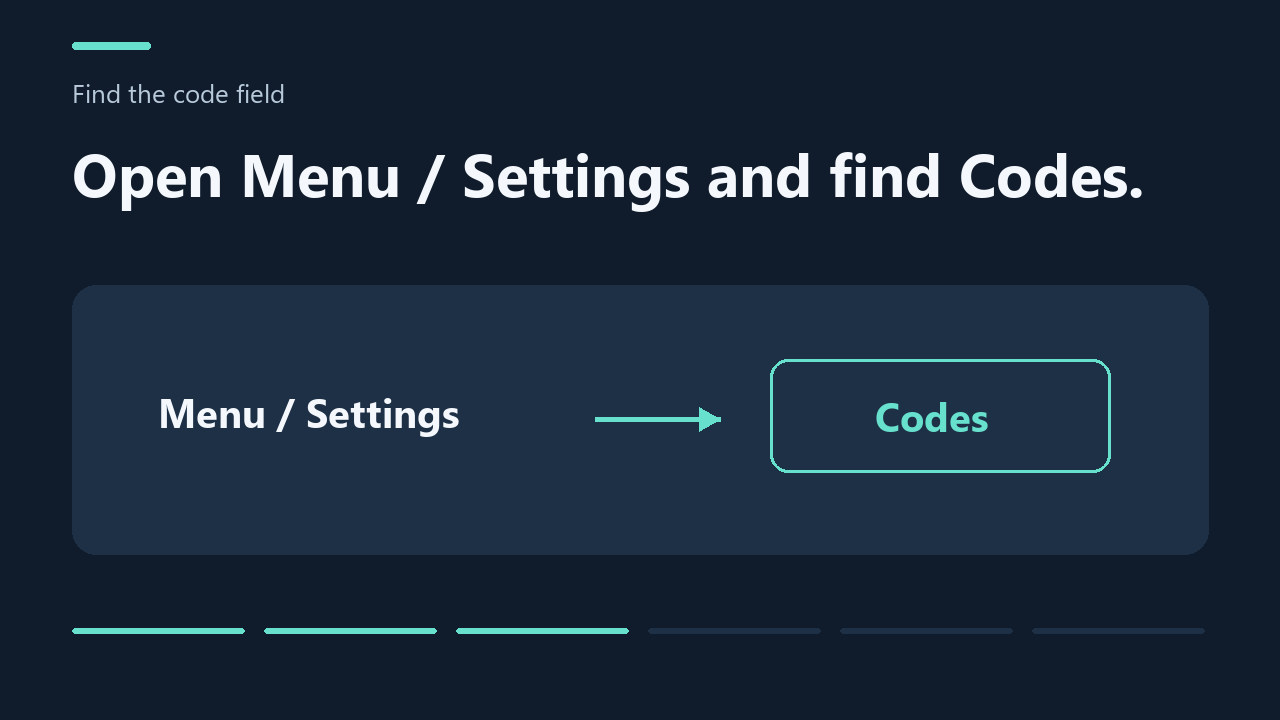
3. Find the code field
Open Fisch, then look for Menu / Settings → Codes. This is the source-described route; we have not tested it in-game.
4. Paste the full code
Copy a code from the table and paste the full code into the field, without extra spaces or missing characters.
5. Read the result
On PC, press Enter and read the game’s response. The exact mobile submission control and console controls have not been verified. A copied code does not mean a reward was claimed.
6. Check a failed code
If the code fails, check its reported expiry, level requirement, spelling and previous redemption. The game’s response is the deciding evidence.
PC
- Open Fisch in Roblox.
- Open the in-game Menu / Settings and find Codes.
- Copy a code above and paste it into the code field.
- Press Enter and read the game’s response. A copied code does not mean a reward was claimed.
Mobile — iPhone, iPad and Android
- Copy a code above, then open Fisch in the Roblox app.
- Tap the in-game Menu / Settings and find Codes.
- Tap the code field and paste the code using your device’s text controls.
- Submit using the available keyboard or game control, then check the game’s response.
The exact mobile submission control has not been verified. If the field cannot be submitted on your device, try the same Roblox account on PC.
Console — Xbox and PlayStation
- Open Fisch on the same Roblox account.
- Look for Menu / Settings → Codes using the available in-game navigation.
- If the code field accepts input, enter the code using the available text-entry controls.
- If submission is available, submit and read the game’s response. Otherwise, use the same account on PC or mobile.
Console field access, controller buttons and submission have not been verified. These are conditional steps, not a confirmed console redemption method; we cannot supply a tested button sequence.
Why is my Fisch code not working?
- Expired code: check its reported expiry date and the expired list. Source status may lag behind the game.
- Level requirement: check the level shown with the reward. N/A follows the source label; it is not a tested level requirement.
- Already redeemed: you may have claimed that code on this account. The game’s response is the deciding evidence.
- Extra spaces or missing characters: paste the complete code without leading or trailing spaces. Fischipedia says codes have not been case-sensitive since Version 1.18.0; we have not independently tested this.
- Different server or menu version: if the code box differs from these instructions, reopen the game and check again. This does not guarantee that a code will work.
Where do Fisch codes come from?
Fisch redeem codes are issued by the game’s developers. Follow the official Fisch Discord and official Fisch X account for announcements. Individual table rows link to the page or announcement where we found the code.
We do not have a confirmed schedule for new codes. Check the official announcement for its release and expiry details; we do not predict the next code or release date.
Fisch codes FAQ
How do I redeem Fisch codes?
Use the code field inside Fisch’s Menu / Settings. Follow the device instructions above and read the game’s result.
Why is my Fisch code not working?
Check expiry, level requirements, previous redemption and the complete spelling. A source-reported active code can still fail in-game.
Where can I find official Fisch codes?
Use the official Discord and X links above. A community Wiki listing is a secondary source, not an official confirmation of current validity.
Are these Fisch codes 2026 guaranteed to work?
No. We do not guarantee that every code is valid. Codes and rewards are issued and controlled by the developers; availability can end or any announced claim limit can be reached. The game’s response confirms whether a reward was granted.
Found a code that does not work? Email us the code, platform and game message. Please do not send your password or account credentials.
For rod prices and acquisition requirements, see our Fisch rod comparison and unlock checklists. For community trading estimates, compare the sources in the Fisch value list.